
The formula for calculating your break even point is actually pretty simple: Break Even Point = Fixed Costs / (Selling Price - Variable Costs). It's like a secret code that helps you unlock the mysteries of your business. And with Excel, you can plug in different numbers and see how they affect your break even point.
But why is break even analysis so important? Well, it's like having a map for your business - it helps you navigate the ups and downs and make informed decisions. By knowing your break even point, you can decide whether a new venture is worth pursuing, or whether you need to adjust your pricing or costs. It's like having a crystal ball that shows you the future of your business.
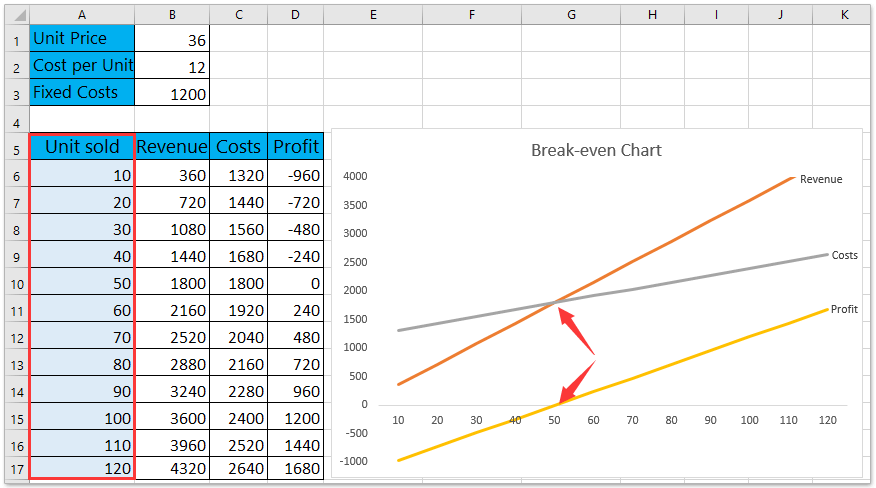 How to do break-even analysis in Excel?

