
What if the screen is frozen? What if the book is cursed? What if you’ve accidentally opened War and Peace and the squirrel outside your window looks more interesting? Close the entire app. On a phone, swipe it away from your recent apps list. On a tablet or laptop, just click the "X" in the corner. The Kindle app hates being abandoned. It sulks for a second. Then it forgets you exist.
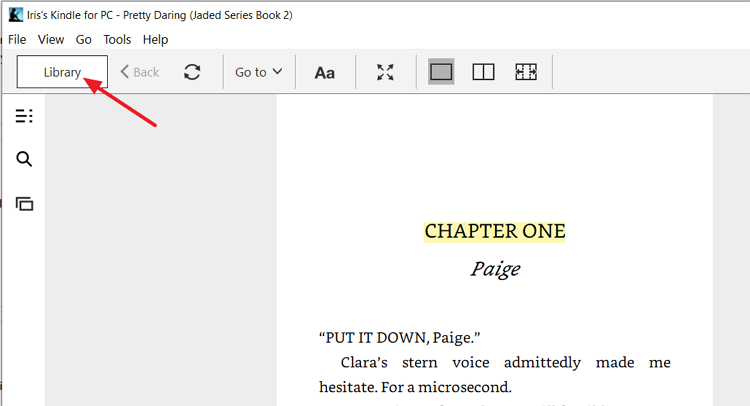 How to Exit a Book on Kindle Paperwhite/Kindle App
Here’s a weird fact: Amazon tracks every time you close a book. They know if you rage-quit on page 47. They know if you finished at 3 AM. It’s a little creepy. But it also means your Kindle knows you’re escaping. It’s watching.
The "Return" Trick: For Library Books
Did you borrow a book from Libby or Kindle Unlimited? You might feel guilty. Like you’re stealing from a digital library fairy. You can return it early. Go to your library screen, tap the three dots under the book cover, and select "Return this book." It disappears instantly. Poof. No late fees. No judgmental looks from a librarian with a bun.
Pro tip: Return a book mid-sentence for maximum drama. The author never finishes that chapter. It’s chaos. It’s beautiful. You become a literary ghost—haunting half-finished stories forever.

