
A certified digital signature, the kind using Public Key Infrastructure (PKI), is essentially a cryptographic lock. If you try to edit that PDF, the signature will invalidate, and a big red banner will pop up saying “Signature Invalid.” This is not a bug; it’s a feature designed to protect you from forgery.
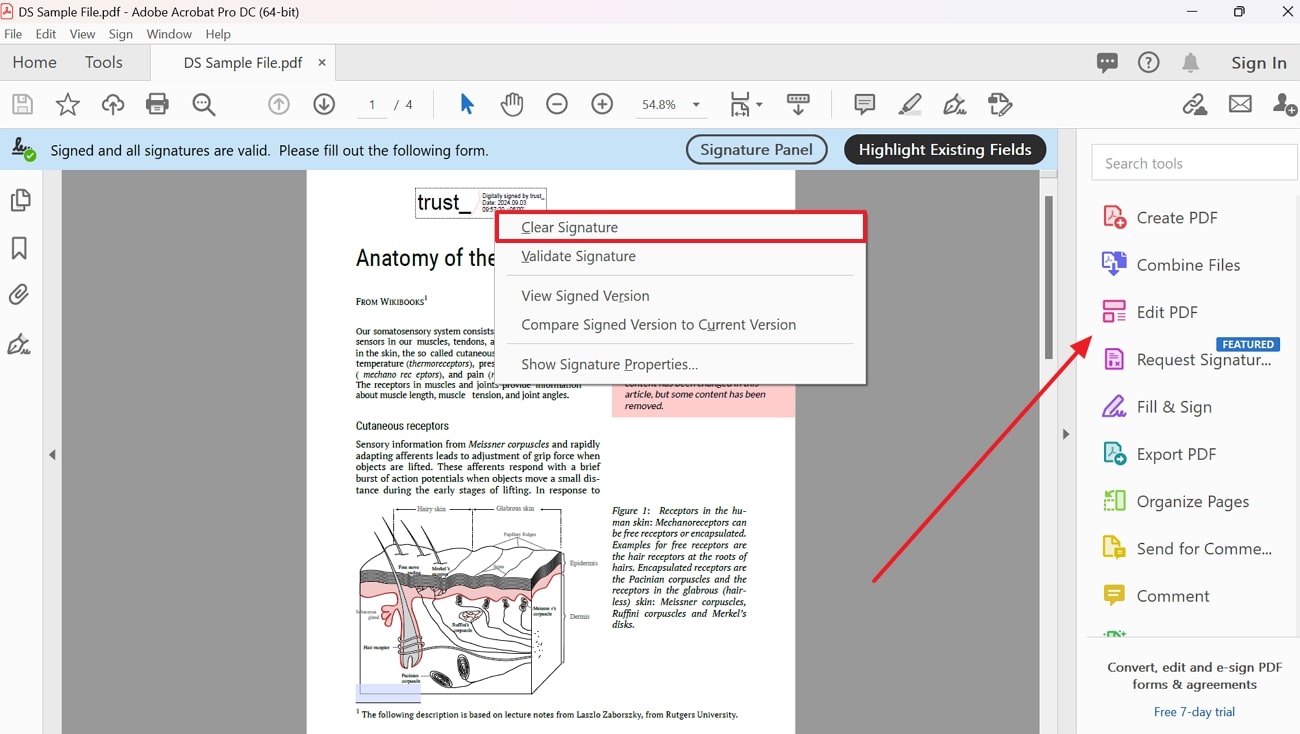
Here is the fun fact: You can still edit the document, but you must break the old signature. In Adobe Acrobat, you can right-click the signature field, select “Remove Signature,” and then make your changes. You will need to re-sign it afterward, and the old signature is gone.
 5 Solutions to Editing Signed PDFs
Think of it like a chalk outline at a crime scene. Once you erase the outline, you need a new one. It does not mean you tampered with evidence; it means you updated the report. Always get permission from the other signer before invalidating a signature.
Tip #2: The “Print to PDF” Loophole
When editing a signed PDF feels too heavy, use the Print to PDF function. Open the signed PDF, hit Ctrl+P (or Cmd+P), and choose “Microsoft Print to PDF” or “Save as PDF” as your printer. This creates a brand new PDF that is essentially a screenshot of the signed document.
Now, this new PDF is not technically signed—it is an image of a signature. But for casual edits like fixing a typo in a date or a name, this is your quickest escape hatch. You can then edit the new PDF freely. Just know you are trading legal strictness for creative freedom.

