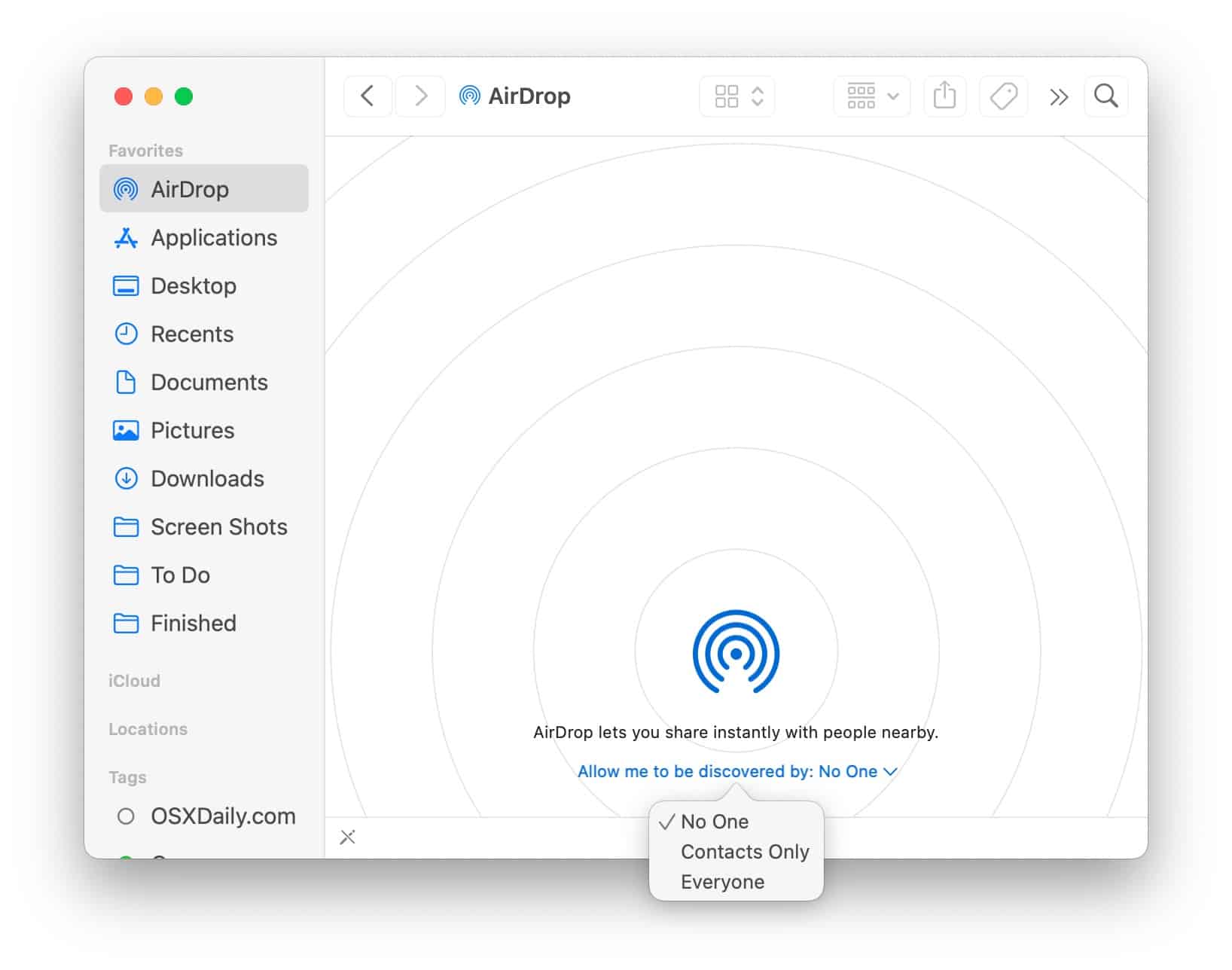
Every now and then, you’ll see “AirDrop is unavailable” on your Mac. It’s usually a Bluetooth or Wi-Fi driver hiccup. Toggle both off and on, or restart your Mac. It’s the digital equivalent of shaking a stuck soda machine.
If that fails, check System Settings > Privacy & Security > Bluetooth. Make sure AirDrop is allowed. And try turning off your VPN if you’re using one. Some VPNs interfere with local networking like a curious cat.
But here’s the silver lining: once it works, it works. No constant password prompts, no lag, no “file too large” errors. It just… delivers.
AirDrop in the Wild
I’ve seen people AirDrop photos at weddings to avoid the group-chat chaos. Designers share mockups across tables at cafés. Travelers swap maps between phones without hunting for Wi-Fi codes. It’s a quiet hero.
One of my favorite moments: sitting in a library, realizing I forgot to send myself a recipe. I AirDropped it from my iPad to my Macbook in less time than it takes to boil pasta water. Pure magic.
And no, you don’t need an iCloud account configured to use it. Just iCloud turned off for other stuff. AirDrop works as a standalone feature. Imagine that—something Apple that doesn’t ask you to join a subscription.

