If you’re using a stock Android phone (like a Pixel), the Files by Google app is your best friend. Open it, swipe to the “Clean” tab, and tap “Free up space.” It will automatically suggest moving photos, documents, and those blurry screenshots to the cloud. It’s like having a personal assistant who hates clutter—and actually does something about it.
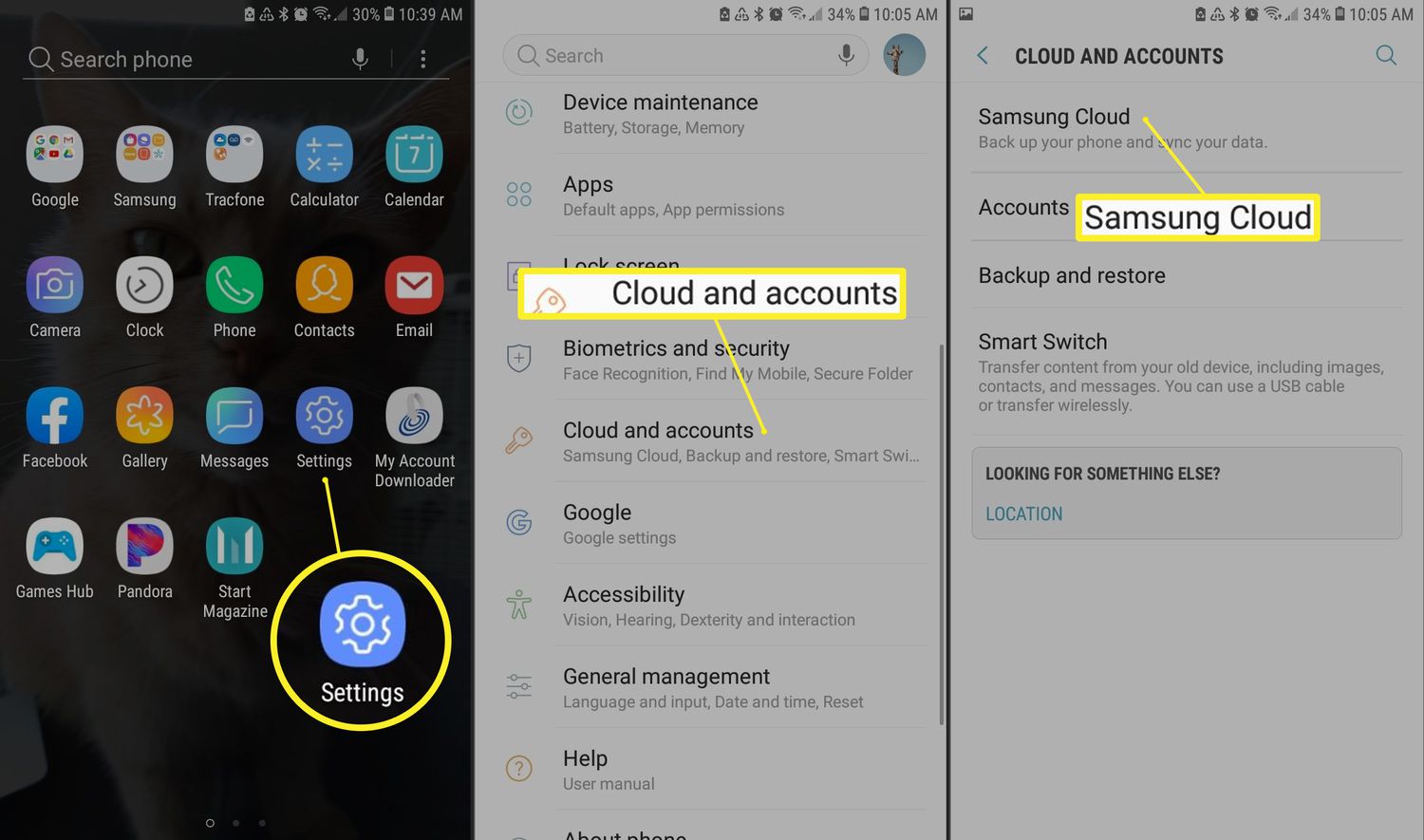
But wait—what about Samsung users? Your galaxy of features includes Samsung Cloud, which syncs contacts, calendar, and call logs. Don’t sleep on it. Open Settings > Accounts and backup > Samsung Cloud, and you’ll find 15GB of breathing room. It’s the digital equivalent of Marie Kondo walking into your phone and whispering, “Thank you, next.”
The real trick is using the cloud as a safety net, not a trash bin. I once met a guy who treated his cloud like a skip—uploading every meme and 4K cat video until his account was bloated. Don’t be that guy. Instead, think of it as a curated gallery. Upload only what matters: tax documents, family photos, and that one PDF of your grandmother’s pie recipe.
The File Managers That Do the Heavy Lifting
Here’s a secret most casual users miss: you can access the cloud directly from your Android file manager. Open the Files by Google app, tap the three dots in the corner, and select “Add cloud storage.” Link your Google Drive, Dropbox, or OneDrive account. Suddenly, your phone’s file system merges with the digital beyond—it’s multidimensional computing without the sci-fi jargon.
For power users, apps like Solid Explorer or CX File Explorer let you treat the cloud like a local folder. Drag and drop files between your phone and the sky as easily as you’d move a coffee cup across a table. Cultural reference alert: this is the “Neo-in-the-Matrix” moment of Android navigation. Suddenly, you see the code behind the matrix, and the code is just… file paths.
What about surfing the cloud? Spotify, Netflix, and even your podcast app are essentially cloud services. That song you added to your library last night? It’s not on your phone—it’s sitting in a data center somewhere, probably beside a server-shaped meme of a cat. Accessing it is as simple as hitting play.

